A letter of recommendation is a personal reference written on behalf of a candidate, enhancing credibility and creating a lasting impression with hiring managers, admissions teams, and scholarship committees.
Use Microsoft Word templates to quickly structure letters to keep the focus on showcasing achievements clearly and effectively. Draft achievements into written examples with Copilot in Word, ready to adapt for academic applications, internal opportunities, or scholarship submissions.
Explore how to build and refine a professional recommendation letter with Word online using templates and AI.
What to prepare before writing a recommendation letter
Resume or application details
Ask candidates for a copy of a resume, personal statement, or application being submitted so the letter can reinforce the story they are already telling.
Key strengths to highlight
Agree on two or three qualities the candidate wants to emphasize, such as leadership, technical skill, research ability, or reliability under pressure.
Achievements or projects
Note specific moments where those strengths showed up, like a launch, a result, a piece of work, or a measurable outcome that backs up each quality.
Type of opportunity
Identify if the letter supports a job, graduate program, scholarship, promotion, or volunteer role, then match the framing and tone to the reader.
Deadline and submission requirements
Confirm the due date, word or page limit, and the required submission method, such as email, sealed hard copy, or portal upload.
How to format a letter of recommendation
Introduction: start the recommendation letter with a quick introduction outlining personal experience and expertise, as well as defining the relationship with the applicant being recommended.
Overview: create a detailed overview of the applicant’s related strengths for the available position or opportunity and how those strengths showed up in shared experiences.
Personal story: share more information about when, where, and how the applicant’s strengths were applied, using firsthand experiences together.
Closing statement: give a summary of the applicant and share strong reasoning as to why they would be a good fit for the opportunity or position.
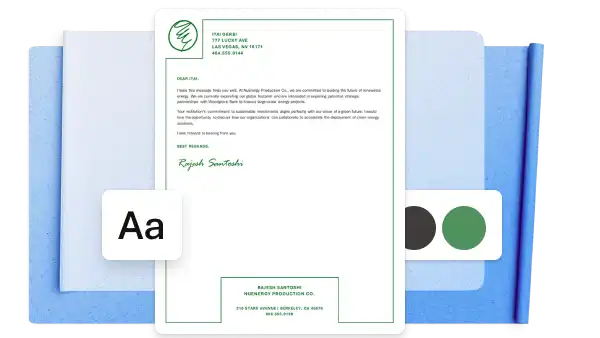
Signature: sign off recommendation letters with full name and contact details for any follow-up enquiries.
Professional recommendation letter guidelines
Select a professional font in a consistent size
Write the recommendation letter in an easy-to-read font and size in Microsoft Word. Choose from professional fonts like Aptos, Calibri, or Arial, and set the font size between 11 and 12 points for a clean, readable layout.
Maintain correct spacing and page margins
Set page margins to Normal for a one-inch space at the top, bottom, and sides. Apply one or one point five line spacing throughout the body, and leave a single line break between paragraphs for a balanced, readable layout.
Maintain an appropriate letter length
Keep recommendation letters to one page wherever possible, similar to a resignation letter or cover letter. One page signals focus and respect for the reader’s time, and only the most relevant qualifications and examples should be included.
Tailor recommendations to the opportunity
A graduate program recommendation reads differently to a management promotion endorsement. Review the job description, program outline, or scholarship criteria before writing, then mirror the language and priorities of the opportunity. Shifting the emphasis gives the letter weight with the right reader, such as leadership for a management role, research for an academic program, or community impact for a scholarship.
Apply a quality check and proofread
Check the recommendation letter for any formatting, spelling, or punctuation errors before saving and sharing. Use document editor to catch small errors during writing with live spelling and grammar checks. Refine tone, tighten phrasing, and flag repetition with Copilot in Microsoft Word.
Export in the correct file format
When a letter is ready to share, save the Word document as a PDF to preserve spacing, fonts, and layout across devices. Share directly from Word via an Outlook attachment, a shareable OneDrive link, or print.
Name the file clearly
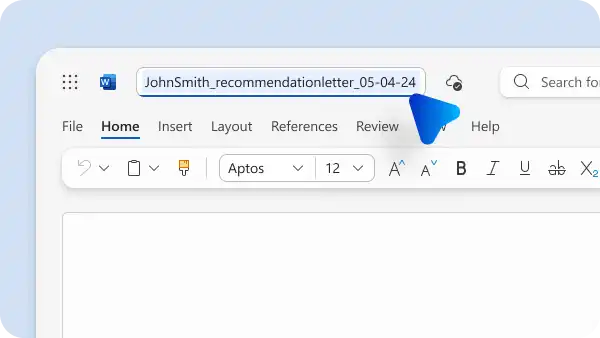
When saving and sharing, name the recommendation letter in a clear format. For example, candidatename_recommendationletter_date works across most hiring portals and email inboxes.
How to turn achievements into credible examples
Specific examples make a recommendation letter memorable. Instead of praising a quality, describe a moment when the candidate demonstrated that quality, including the project, the action, and the result. Compare the two paragraphs below.
Weaker: Sarah is a dedicated team leader who supports her colleagues.
Stronger: Sarah took over as team lead and immediately restructured delivery across four projects, meeting the original client deadline.
The second version describes a moment, a decision, and an outcome. Apply the same approach to every paragraph.
Name the action: describe the task, project, or situation the candidate owned.
Describe the result: include figures, timeframes, or outcomes when the information exists.
Explain the impact: connect the work to the team, project, or organization, and describe what changed.
Replace broad statements: exchange soft descriptors like reliable or hardworking for specific moments that prove those qualities.
Recommendation letter writing tips and common mistakes
Writing tips for recommendation letters
Write in a professional and friendly tone of voice: maintain an approachable and positive tone throughout the letter to develop consistency and credibility. The respectful relationship with the applicant should be evident throughout the letter.
Keep the letter formal and concise: write in a formal style and include only the attributes and experiences relevant to the opportunity. Refine the draft with document editor for grammar and clarity, then use Copilot to tighten phrasing and tone.
Focus on relevant and important qualifications: research the role the applicant is applying for to understand the job and match strengths to the opportunity. Share experiences, training, and qualifications that have the greatest impact and relevance to the hiring manager, HR department, or head of department.
Use impactful words to highlight the applicant's strengths: active verbs like led, delivered, mentored, and designed describe the applicant's contribution more clearly than soft descriptors. Words like honored, significant, and memorable reinforce the endorsement when placed around specific examples.
Mistakes to avoid when writing recommendation letters
Avoid generalization and hyperbole: only use specific examples of the applicant's strongest character traits and avoid references with no context or relevance, including vague praise. The use of hyperbole in a recommendation letter can also reduce the credibility of the applicant, especially when the claims are sensationalist in nature.
Do not repeat resume content: the reader already has the resume. Use the letter to add context, character, and evidence the resume cannot show.
Make sure to introduce yourself: never exclude valuable details in the introduction about the recommender's credentials and relationship with the applicant. Not adding these details can reduce the credibility of the letter.
Don't feel pressured to write a recommendation letter: if a request cannot be supported with confidence, declining is more professional than producing a weak endorsement. Suggesting an alternative recommender is a fair way to respond.
Don't use a reference without their permission: applicants should confirm with the recommender before listing them, and recommenders should confirm the submission method before sending the letter.
How to draft and personalize recommendation letters with Copilot
Turn performance notes, coursework feedback, or project observations into a structured first draft with Copilot in Word. Chat with Copilot to refine tone, rework informal phrasing into professional prose, and tighten clarity to suit the reader. Review every paragraph for accuracy once the draft appears, add firsthand observations only a recommender can provide, and confirm each example reflects the candidate's real experience.
How to adapt recommendation letters for different applications
A candidate applying for multiple opportunities does not need a new recommendation for each one. Use AI to rewrite a single base letter for each reader, adjusting the emphasis, tone, and vocabulary without losing the original examples or endorsement.
Leadership for a management role: reframe examples around decisions, team impact, and accountability.
Teamwork for a collaborative environment: highlight cross-functional moments, peer support, and shared outcomes.
Simplified tone for internal HR: soften formality and focus on the candidate's fit for the team and culture.
Formal language for a university application: tighten structure and elevate phrasing for admissions committees and scholarship panels.
One strong base letter can work across several applications with small shifts in framing, removing the pressure of a new draft each time.
How to write a recommendation letter in Microsoft Word
Open a new Word document or select a recommendation letter template to start writing.
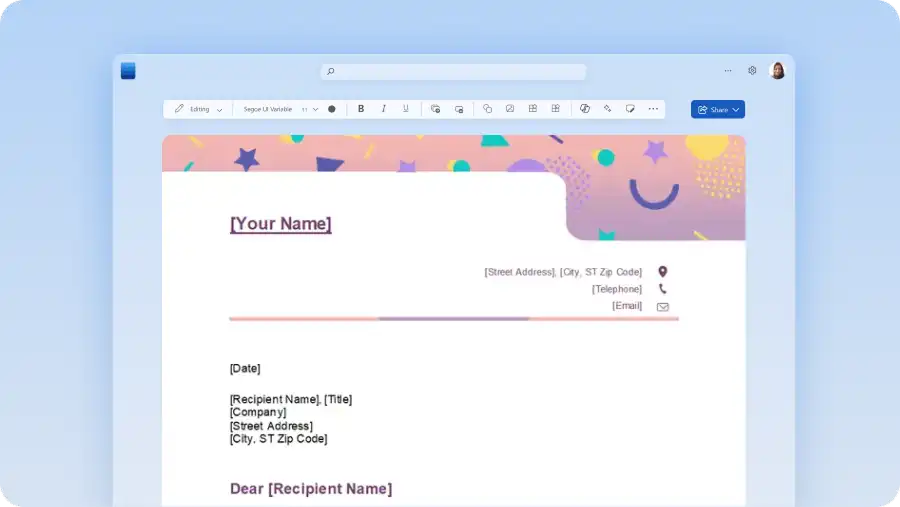
Add the sender details, date, recipient details, and salutation at the top of the page.
Click Copilot and ask AI to draft the body of the letter from notes, bullet points, or a recent performance review.
Review the AI-generated draft and ask Copilot to refine tone, tighten phrasing, or strengthen specific examples.
Use document editor to check spelling, grammar, and readability before finalizing.
Save the Word document as a PDF or share directly for email, hiring portals, and print.
Writing a recommendation letter takes minutes with the right template and a few notes. Draft a clear, tailored endorsement using templates and Copilot in Microsoft Word today. Explore more business writing guides like how to format a cover letter and the best resume fonts, sizes, and formatting tips.
Frequently asked questions
- Can Copilot in Word write a recommendation letter?
Copilot can generate a full draft of a recommendation letter based on the details provided about the candidate, the relationship, and the opportunity. Use AI rewriter to refine tone, tighten phrasing, and adjust the draft for the audience until the letter reads as a personal endorsement.
- What is a good example of a recommendation letter?
A good recommendation letter opens with a short introduction of the recommender's role and relationship to the candidate, followed by a paragraph or two of specific examples tying the candidate's strengths to the opportunity. It closes with a clear endorsement and contact details for follow-up. The best examples name projects, outcomes, and traits rather than general praise. Use a ready-made recommendation letter example in Word to follow a clear, professional structure.
- Are there professional letter of recommendation templates in Word?
Microsoft Word offers professional recommendation letter templates in simple, corporate, and classic styles. Customize with personal details, branding, and signatures.
- How to ask a professor for a letter of recommendation?
Ask early, ideally four to six weeks before the deadline, and make the request in person or through a clear, well-written email. Share the application details, a current resume, the program or role description, and a short note about the professor's unique perspective on the application. Lead time and context make it easier for the professor to say yes and write a considered letter. After the reference is provided send a thank you letter as a nice gesture.
- How long should a letter of recommendation be?
Aim for one page, or around 400 to 600 words. One page forces clarity and respects the reader's time, so only the most relevant strengths and examples should appear. Use a ready-made letter template in Word to format the page and keep the letter to the right length.
- How to write a recommendation letter with a reusable structure?
Start with a recommendation letter template on an organization or company letterhead. Include essential sections for qualifications, achievements, examples, and a recommendation statement. Use Copilot in Word to draft and adapt each section for the specific candidate and audience, then review the final letter before sharing it. With a set structure in place, writing personal, credible recommendation letters becomes a quick and easy process for professors and HR professionals.