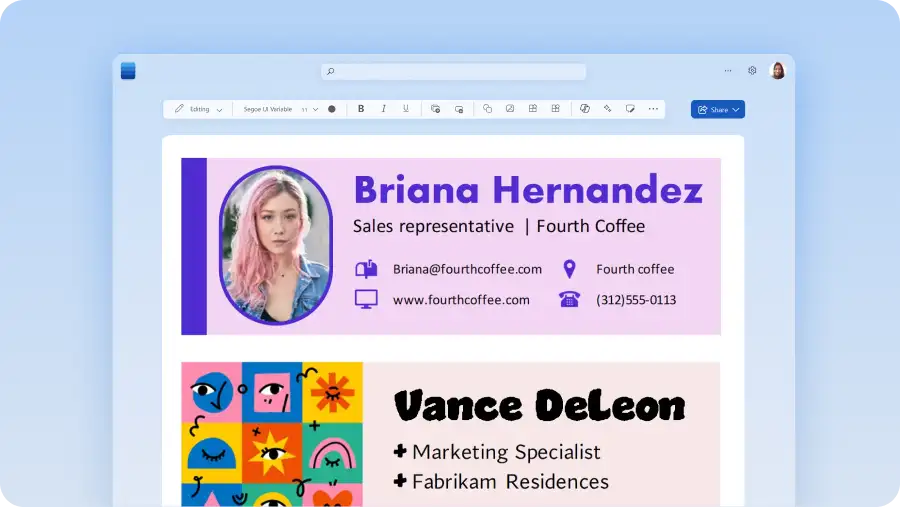
Professional email signature templates
Enhance any email by signing off with a unique and personalized email signature template by Microsoft Word.

Colorful email signature templates
Add personality and elevate any email with a colorful email signature template.
Profile email signatures
Build trust and enhance credibility with a professional profile email signature template.
Minimalist email signature templates
Make emails polished, professional, and faster to sign off with a simplistic email signature template.
Logo email signature templates
Generate brand recognition and make emails more professional with a logo email signature template.
How to use an email signature template in Microsoft Word
Open Word for the web to find all signature templates.
Double click on the email signature to edit.
Replace text with own signature and information.
Save and attach email signature to Microsoft Outlook.

Add a professional mark with custom email signature templates
Elevate email communication with customizable email signature templates. A professional email signature is key to leaving a lasting impression and showcasing contact information or brand logos.
Choose from a variety of designs that suit your style or business needs, then customize with your name, title, contact details, and social media links, and add it to email drafts. With an easy-to-use email signature template, create a polished email signature for memos, real estate emails, and more in minutes.